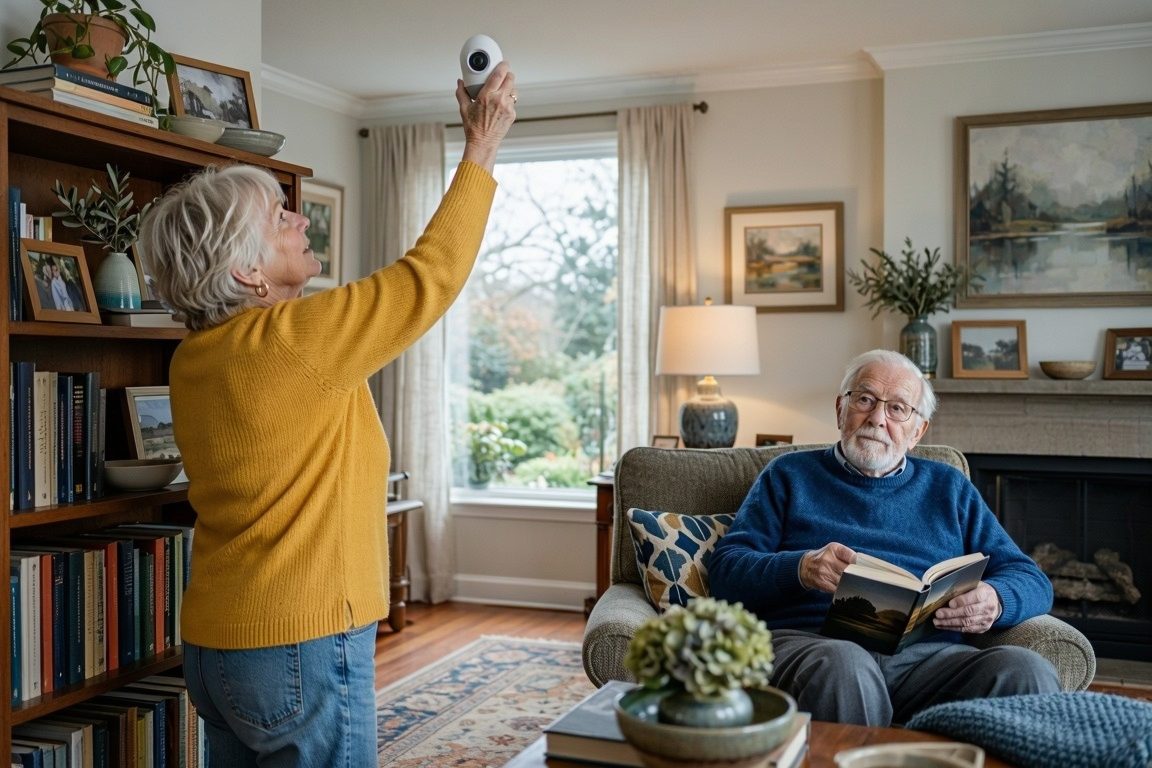
Step by step
What not to do
- Don't install a camera without first examining your own feelings; guilt or shame may lead to hiding it or constant anxiety.
- Don't place cameras in bathrooms, bedrooms where privacy is expected, or any area where the person changes clothes.
- Don't use cameras to spy on paid caregivers without their knowledge; disclose camera locations upfront.
- Don't rely on cameras as your only safety measure: they only alert after the fact, combine with medical alert systems, door alarms, and regular check-ins.
- Don't let the camera replace human interaction: if you watch the feed instead of spending time with your loved one, step back.
Key points
- Cameras are a safety tool, not a betrayal of trust. Many caregivers find them essential for peace of mind and for catching falls or wandering.
- The decision to install a camera can feel heavy, but it is not permanent. You can move or remove it if it does not work.
- Be transparent with your loved one and any paid caregivers about the camera’s presence. Honesty builds trust and reduces misunderstandings.
- Use a simple decision framework: Is it possible? Does it align with your values? Is it legal/ethical? How does it impact everyone?
- Combine cameras with other safety measures like medical alert systems, door alarms, and regular check-ins.
- You do not have to decide alone. Talk to a support group, a counselor, or a dementia care coach for guidance.
Videos
 Hiring a paid dementia caregiver with Laura Smothers-ChuThis video helps you think about how cameras fit into a relationship with a paid caregiver, including how to communicate about the camera openly.
 082515 Doing the UnthinkableDirectly addresses the emotional struggle of doing something that feels unthinkable, like installing a camera. Offers reassurance that you are not alone.
 Is It Right to Put a Parent in a Care Home Against Their Wishes? | Caregiving Expert Tips & AdviceExplores the broader theme of making hard decisions that go against a loved one’s wishes, which parallels the camera decision.
 The one mindset shift you need to make as a dementia caregiverHelps you shift from guilt and hesitation to action, which is crucial when deciding to install a camera.
2 more videos


Background
Why cameras feel unthinkable, and why they become necessary
When you first hear about caregivers installing cameras, it can feel invasive or even unethical. A friend of one caregiver was ‘horrified’ to learn about a camera in the bedroom, yet that same camera later helped the caregiver see that her father had fallen and needed help. The truth is, Alzheimer’s changes the rules. What was unthinkable before the disease becomes a tool for safety and connection. Cameras are not about distrust; they are about being able to see what is happening when you cannot be physically present. As one expert notes, cameras are helpful even when a paid caregiver is wonderful, because other people, like a painter or a visitor, could come into the home. The goal is to keep your loved one safe, not to catch anyone in wrongdoing.
The emotional weight of the decision
Caregivers often struggle with decisions that feel heavy, like whether to place a loved one in a facility or whether to use cameras. That weight is normal. You are balancing love, responsibility, and a desire to preserve your loved one’s dignity. But as one source reminds us, ‘not taking a step is still a decision’. Staying stuck in indecision can be more harmful than making a choice and adjusting later. The good news is that most decisions, including installing a camera, can be undone or adjusted. You can remove a camera if it causes distress, or you can move it to a different room. The key is to act with intention and compassion, not to freeze.
How cameras fit into a bigger safety picture
Cameras are just one piece of a larger safety plan. They can help you monitor for falls, wandering, or agitation. In late-stage Alzheimer’s, a camera can alert you if your loved one tries to leave the house. They also allow you to step away from being ‘visually present’ while still knowing what is happening. This can reduce your own stress and burnout, because you don’t have to be in the same room every second. But cameras are not a substitute for human connection or professional care. They are a tool to help you make informed decisions about when to intervene and when to let your loved one have space.
Practical tools
5
One-Step Focus Question
When stuck, ask: 'What is the next right step?' (e.g., 'Look up affordable cameras online' or 'Call a support group to ask about cameras'). This breaks the overwhelming decision into a single, actionable task.
Four-Question Pre-Install Checklist
Before installing, answer:
Exact Introduction Script for Loved One
Say: 'I'm putting this little camera here so I can see if you need help. It helps me feel less worried when I'm in the other room. You don't have to do anything, it just lets me check on you.' Keep tone warm and matter-of-fact. If asked why, repeat the same reason without over-explaining.
Camera Placement Safety Checklist
Before installing, confirm:
Weekly 5-Minute Review Routine
Set a Sunday reminder to review the past week's footage for patterns:
Use findings to adjust care, not to dwell in worry.
Different situations
Early-stage Alzheimer’s (mild cognitive changes)
In early stages, your loved one may still be aware of privacy and may feel embarrassed or angry about a camera. Consider using a camera only in common areas, and explain it as a ‘safety tool for both of us.’ You might also use a motion sensor instead of a video camera to reduce the feeling of being watched.
Middle-stage Alzheimer’s (increased confusion, wandering risk)
This is the most common time to install a camera. Wandering and falls become real risks. Place a camera near the front door and in the bedroom. Use motion alerts so you are notified immediately if your loved one gets up at night. Be prepared for your loved one to occasionally notice the camera and ask about it, respond with the same simple explanation each time.
Late-stage Alzheimer’s (bedridden, full-time care)
In late stages, the camera is primarily for monitoring falls, breathing, or agitation. Place it so you can see the bed and the floor. Privacy concerns are less of an issue because the person is less aware, but still avoid bathroom views. The camera can also help you coordinate with paid caregivers or hospice staff.
Adult child caregiver vs. spousal caregiver
Adult children often feel more guilt about ‘invading’ a parent’s privacy. It may help to remind yourself that your role is to keep your parent safe, not to preserve their former independence. Spousal caregivers may feel less guilt but more sadness, because the camera highlights the loss of the partnership. In both cases, talk openly with a support group or counselor about these feelings.
If you are caring from a distance
Long-distance caregivers can use cameras as a primary way to check in. Choose a camera that allows you to view the feed on your phone from anywhere. Coordinate with the in-home caregiver or a neighbor so they know the camera is there. Use the camera to spot problems early, but also schedule regular video calls with your loved one to maintain connection.
For the doctor
3
- If your loved one becomes extremely agitated or paranoid about the camera, discuss with their doctor whether this is a sign of worsening dementia or a side effect of medication.
- If you are considering using a camera in a facility (like a nursing home or memory care), ask the facility’s social worker or administrator about their policy on family-installed cameras. Some facilities allow them, others do not, and you need to know the rules before proceeding.
- If your loved one has a history of aggression or psychosis, talk to a geriatric psychiatrist about whether a camera might trigger more agitation, and what alternatives exist.