Step by step
What not to do
- Do not introduce a new tool when the person is already agitated or tired. Wait for a calm, alert moment. If you try during a meltdown, they will associate the tool with stress.Instead, choose a quiet time after a meal or a rest.
- Do not use the technology as a babysitter and walk away. The person may feel abandoned or confused.Instead, sit with them for the first few sessions, share the experience, and gradually step back only if they seem comfortable and engaged.
- Do not quiz or test them with the spaced retrieval app. The goal is gentle practice, not a test. If they get an answer wrong, simply say the correct answer and move on. Avoid saying 'No, that's not right' or 'Try again.'
- Do not overwhelm them with multiple new tools at once. Introduce one tool per week. Too many changes can cause confusion and resistance. Let them master one before adding another.
- Do not assume they will intuitively know how to use the technology. Demonstrate first, using simple language: 'Watch me. I tap here, and then the music starts.' Then guide their hand to try. Be patient and repeat as needed.
- Do not force engagement if they are not interested. If they push the tablet away or look away, respect that. Say: 'That's okay, maybe later.' Forcing it can create a power struggle and negative associations.
Key points
- Dementia day clocks reduce time disorientation by showing the day, date, and time of day in a simple, constant display.
- Memory Lane TV and similar platforms offer multi-sensory engagement without requiring plot-following, improving mood and reducing anxiety.
- Spaced retrieval apps use scientifically proven intervals to help cement important information in memory.
- Always introduce new technology during calm moments, sit with the person, and frame it as a shared activity.
- Personalize tools to the person's stage, type of dementia, and interests, what works for one may not work for another.
- Monitor their response and be ready to pivot or remove a tool if it causes frustration or agitation.
Videos
 Exploring RecallCue, A Dementia Day Clock, with Creator Dani WaxmanHear directly from the creator about how a dementia day clock works and why it helps with time disorientation.
 Quick Tips: Apps and Activities for People with DementiaA short, practical overview of apps that can support memory and engagement at home.
 Dementia Care Partner Talk Show Podcast: Ep. 89 - The Importance of Activities in EngagementLearn why meaningful activities matter and how to choose them for your loved one.
 An Interview with Craig Fowler CEO of Joygage Dementia Engagement SoftwareDiscover a software platform designed specifically to keep people with dementia engaged at home.
2 more videos
 Teepa for Ten | People Living with Dementia, What Should I Do After a Diagnosis?Teepa Snow offers compassionate guidance on next steps after a dementia diagnosis, including engagement strategies.
 Listen to what Teepa Snow has to say about Memory Lane TVTeepa Snow explains how Memory Lane TV can be a high-engagement, low-cost tool for people with dementia.
Background
Why Time Disorientation Happens and How Media Tools Help
In early dementia, the brain's ability to process and sequence time becomes impaired. The person may not know what day it is, whether it is morning or evening, or how long ago something happened. This isn't about laziness or stubbornness; it is a neurological change that increases anxiety and can lead to agitation, especially during 'sundowning' hours. A dementia day clock, a simple screen that shows the day of the week, date, and time of day (e.g., 'Wednesday Afternoon'), externalizes this information, reducing the mental load and providing a calm, consistent reference point. Research has shown these clocks are effective in easing time disorientation, offering a non-pharmacological way to restore a sense of order and safety.
Engagement Media: Tapping Into Preserved Memories
While short-term memory fades, long-term memories from childhood, adolescence, and early adulthood often remain vivid. Engagement media tools like Memory Lane TV are designed specifically for this: they present music, videos, and images from the person's younger years without requiring them to follow a plot or remember what happened five minutes ago. This 'multi-sensory' approach can improve mood, reduce anxiety, and even lower stress for both the person and the caregiver. The key is that the content is familiar and emotionally resonant, allowing the person to enjoy the moment, watching a classic TV show, listening to a favorite song, or seeing old photographs, without the pressure of remembering. As one expert noted, this kind of platform provides 'high engagement' at low cost, and can be used alone or shared as a social activity.
The Role of Spaced Retrieval and Memory Aid Apps
Beyond passive viewing, some apps actively train memory using a technique called spaced retrieval. This scientifically proven method involves asking the person to recall a piece of information (like a name or a safety rule) over gradually increasing intervals, one minute, two minutes, eight minutes, and so on. When they answer correctly, the time between prompts increases; when they struggle, it shortens. Apps like the one from Tactus Therapy help caregivers and clinicians track these intervals and practice up to three memory targets. Digital calendars and reminder apps also externalize memory, providing automated alerts for medications, appointments, and daily routines. These tools reduce anxiety by making the day predictable, and they lighten the caregiver's mental load by ensuring important information isn't forgotten.
Practical tools
6
Dementia Day Clock (RecallCue or similar)
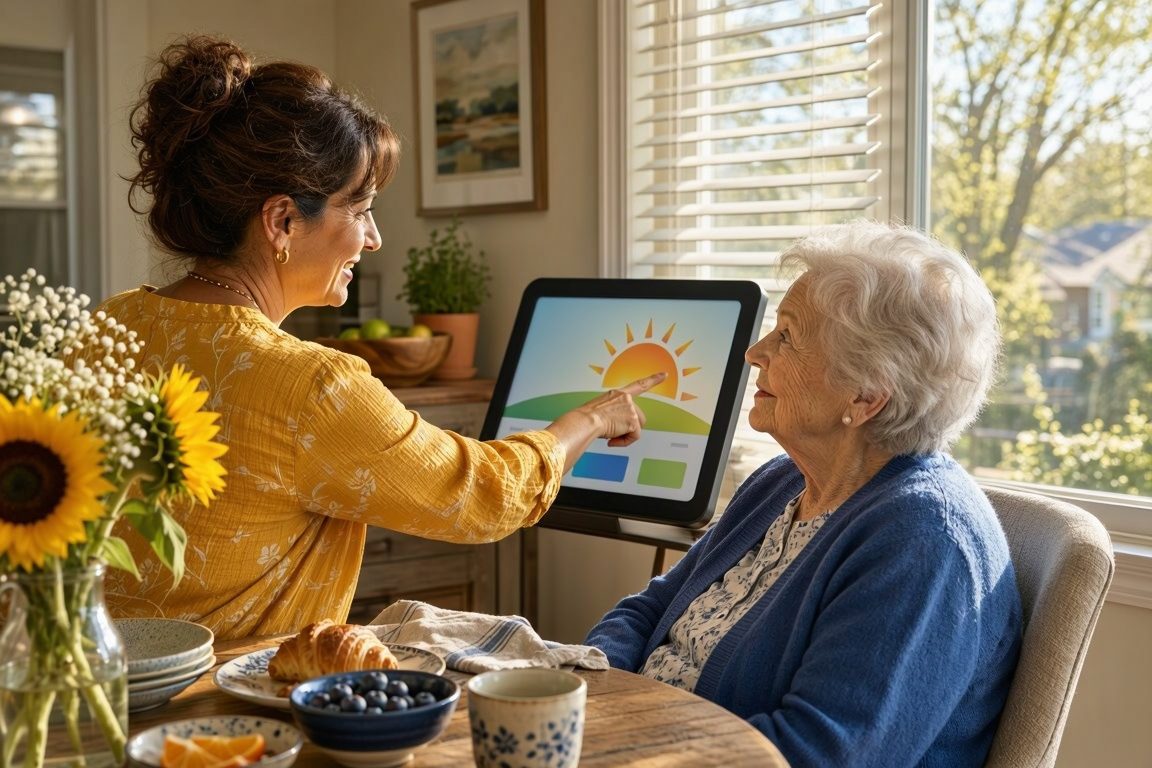
A dedicated screen that shows the day of the week, date, and time of day (e.g., 'Wednesday Afternoon'). Some versions also allow you to send messages or display photos. Place it in a high-traffic area. Say: 'This clock tells us what part of the day it is. See, it says 'Afternoon', that means we have the whole afternoon ahead of us.' This reduces repeated 'What day is it?' questions and provides a calm anchor.
Memory Lane TV
A streaming platform designed for people with dementia. It offers music, videos, and images from earlier decades without requiring plot-following. It can be used alone or with others. Subscribe at memorylane.tv and install on a smart TV. Say: 'I found a channel with old shows and music. Let's see what's on.' Use it to energize in the morning or calm in the evening. One caregiver reported it 'improved his moods and reduced his anxiety.'
Spaced Retrieval App (Tactus Therapy)
An app that uses scientifically proven spaced retrieval training to help recall important information. It automatically adjusts intervals based on correct/incorrect responses. Use it to practice one memory target at a time (e.g., a name, a safety rule). Say: 'Let's play a quick memory game. I'll ask you a question, and you try to answer. Ready?' Keep sessions short and positive.
Digital Calendar with Visual Cues
A tablet or large-screen device with a calendar app (e.g., Google Calendar) set to show only today or the next two days. Color-code events: blue for meals, green for appointments, yellow for fun. Set gentle chime reminders. Say: 'Let's check our calendar. See the green square? That means we have a doctor's visit at 10.' This externalizes memory and reduces anxiety about what's coming next.
Digital Photo Frame with Historical Photos
A simple digital frame loaded with photos from the person's past (ages 15–30). Set it to shuffle slowly. Place it where they sit often. When a photo appears, say: 'Oh, look at that! That's you at the lake.' Let them reminisce or just enjoy the image. Avoid quizzing. This taps into preserved long-term memory and can spark spontaneous conversation.
Music Playlist from Their Youth
Create a playlist of songs from the person's teenage and young adult years (ages 15–30) using a streaming service. Play it during calm times. Sing along or tap your foot. Music can shift mood and reduce agitation. Say: 'I love this song. Do you remember it?' If they don't, just enjoy the melody together.
Different situations
Lewy body dementia (LBD)
People with LBD often have visual hallucinations and fluctuating cognition. Avoid screens with rapid motion or complex visuals. Use a simple dementia day clock with large, static text. For music, choose calming instrumental pieces rather than songs with lyrics, which may be misinterpreted. Introduce new tools only during clear-headed periods. If they become frightened by a screen image, remove it immediately and offer reassurance.
Frontotemporal dementia (FTD)
FTD often affects behavior and language more than memory. Engagement tools should focus on preserved interests and routines. If the person loved gardening, use a tablet to show short gardening videos. Avoid tools that require following instructions or recalling facts. Spaced retrieval may be less effective; instead, use procedural memory activities like sorting or folding. Keep sessions very short (5 minutes) and end before they become restless.
Late-stage dementia
In late stages, the person may have limited verbal ability and be bedbound. Use passive, sensory tools: a digital photo frame with slow-changing images, a music playlist from their youth played softly, or a dementia day clock placed within their line of sight. Do not expect interaction. Simply sit with them, hold their hand, and let the media play. The goal is comfort and calm, not engagement.
Spouse vs. adult child caregiver
A spouse may feel more comfortable introducing tools as a shared activity ('Let's try this together'), while an adult child may need to be more gentle to avoid seeming controlling. Adult children should frame the tool as something they found helpful for themselves: 'I got this clock for my own office, but I thought you might like it too.' Spouses can be more direct: 'I think this will help us both keep track of the day.'
Person living alone in early dementia
If the person lives alone, set up a dementia day clock and a digital calendar with automated reminders. Use a simple tablet with a locked-down interface (only the calendar and Memory Lane TV visible). Check in remotely via a simple video call app. Say: 'I set up this calendar for you. It will remind you when it's time to eat or take your medicine.' Ensure the technology is reliable and easy to use, with a single button to call for help if needed.
For the doctor
5
- Ask the doctor: 'Are there any specific memory or cognitive training apps you recommend for my loved one's stage and type of dementia?'
- Discuss: 'My loved one seems more agitated after using a screen. Could this be related to their medication or the type of dementia they have?'
- Inquire: 'Is there any evidence that a particular type of music or video content could help with their specific behavioral symptoms?'
- Ask: 'Should we be concerned about screen time affecting their sleep or vision? Are there any precautions we should take?'
- Discuss: 'My loved one has trouble following the calendar reminders. Is there a different way to structure their day that might work better?'