
Step by step
What not to do
- Don't rely on a regular clock, phone screen, or watch, numbers like '14:30' or '2:30 PM' don't translate into morning/evening without the explicit label.
- Don't introduce the clock during a moment of confusion or agitation; calm them first with a warm drink or gentle touch before showing it.
- Don't use the clock as a test or correction tool, never say 'You're wrong.' Instead, say 'Let's check together' and use it as a shared reference.
- Don't turn on every app feature at once. Start with just the day clock display for a week, then add reminders, then photos, then video calls, one at a time.
- Don't forget to adjust for daylight saving time, update the device and be extra patient for a few days as their internal clock will be disrupted.
- Don't expect the clock to eliminate all time-related questions. They may still ask 'What day is it?' right after looking, gently redirect them back to it.
Key points
- A dementia day clock shows the day, date, and time of day (Morning/Afternoon/Evening/Night) in large, clear text, helping reduce confusion about time.
- RecallCue is a free app that turns any tablet into a dementia day clock, with optional paid features for messaging, photos, reminders, and video calls.
- Introduce the clock gradually and use it as a shared reference, not a correction tool.
- Pair the clock with a consistent daily routine to reinforce the time-of-day labels.
- Use the clock's labels to cue transitions between activities (e.g., 'Evening means it's time to wind down').
- Adjust the clock's display (font size, background color, language) to match your loved one's needs.
Videos
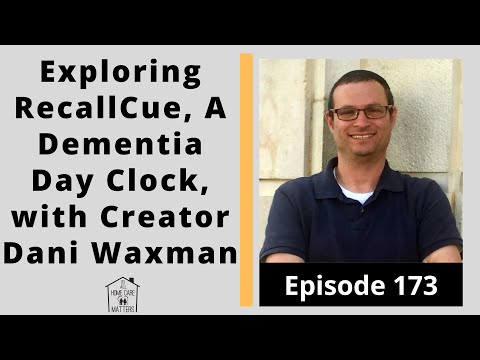 Exploring RecallCue, A Dementia Day Clock, with Creator Dani WaxmanThis video explains how RecallCue was created by a caregiver who found existing day clocks too limited. It walks through the app's features and how to set it up.
 How to make a daily dementia routine for homeThis video shows how to build a daily schedule that works with a day clock. It emphasizes the order of activities over exact times, which is key for using the clock effectively.
 Ep. 145: Teepa's New Book, Understanding the Changing BrainTeepa Snow discusses how the brain changes in dementia, including the circadian rhythm disruptions that make day clocks helpful. This provides the 'why' behind the tool.
 Ep. 143: Universal Design Guidelines for Improving Quality of Life in Residential CareThis video covers environmental design principles, including the use of visual cues like day clocks, that can be applied at home or in a facility.
2 more videos
 Ep.144: A Care Staff's Perspective When a New Resident ArrivesHear from care staff about how tools like day clocks help new residents orient to their environment and reduce anxiety during transitions.
 Alzheimer's vs Age Associated Memory Impairment (AAMI)This video clarifies the difference between normal age-related forgetfulness and early dementia, helping you understand why a day clock is needed for dementia but not for normal aging.
Background
Why Time Becomes Confusing in Early Dementia
In early dementia, the brain's internal clock, the circadian rhythm, starts to become less reliable. The part of the brain that helps us sense the passage of time and distinguish morning from evening is damaged, so your loved one may not be able to tell if it's 10 a.m. or 10 p.m. just by looking outside. They might also struggle to remember what they were doing ten minutes ago, making it hard to know if they've already had breakfast or if it's time for lunch. This is not laziness or stubbornness; it's a genuine cognitive change.
What a Dementia Day Clock Does Differently
A standard clock shows numbers and maybe AM/PM, but for someone with dementia, those numbers can be meaningless. A dementia day clock (like the one sold on Amazon or the RecallCue app) displays the day of the week, the date, and a clear label like 'Morning,' 'Afternoon,' 'Evening,' or 'Night.' Some also show the weather and a simple icon (sun, moon). This externalizes the time information so your loved one doesn't have to rely on their failing internal clock. Studies have shown these clocks reduce confusion and agitation, especially during sundowning hours.
How RecallCue Builds on the Day Clock Idea
RecallCue is a free app (with a low-cost subscription for extra features) that turns any tablet into a dementia day clock. It was created by a caregiver who found the physical day clocks too limited, they only showed time and nothing else. RecallCue adds the ability for family members to send messages, share photos, schedule reminders (like 'Time for lunch' or 'Your doctor appointment is tomorrow'), and make two-way video calls. All of this happens through a simple interface on the caregiver's phone, so you don't need to teach your loved one how to use a new device. The day clock itself is free to use; the messaging, photos, and video calls cost under $5 a month.
Practical tools
3
RecallCue App (Free + Subscription)
Download on an iPad or Android tablet. Free version shows day, date, time-of-day label, and weather. Paid subscription (under $5/month) adds messaging, photo sharing, reminders, and one-tap video calls. Set up your phone as the 'caregiver' account and run the tablet in always-on display mode.
Dedicated Dementia Day Clock (Amazon)
A plug-in screen that shows day, date, and time-of-day label out of the box, with optional weather. Minimal setup required and no tablet charging or app management.
Tablet Stand or Countertop Mount
A weighted, anti-slip stand or a small wall-mounted shelf at eye level to keep the tablet upright, visible, and safe from being knocked off. Stable placement makes it a steady part of the room.
Different situations
Early-stage Alzheimer's (still living at home, mild confusion)
The day clock is most effective here because your loved one can still learn to use it as a reference. Start with the free RecallCue day clock display. Introduce it gradually, as described in the steps. Use it to reinforce their existing routine. The photo and message features can help them feel connected to family members who live far away. Avoid video calls at first if they are easily overwhelmed by technology.
Lewy body dementia (fluctuating cognition, visual hallucinations)
Be cautious with the clock's display. If your loved one has visual hallucinations, a bright screen with moving elements (like weather animations) might trigger confusion. Choose a static display with a simple, unchanging background. Use the clock only during calm moments. If they seem frightened by the screen, turn it off and rely on verbal cues instead. The clock's time-of-day labels can still help, but you may need to point to it and say 'See, it says Morning' rather than leaving it on all the time.
Spouse caregiver vs. adult child caregiver
If you are the spouse, you may be more likely to use the clock as a shared tool, 'We both need help keeping track of time.' This can reduce your loved one's feeling of being 'managed.' If you are an adult child, you might use the clock more as a remote monitoring tool (via RecallCue's caregiver app) to check in from your own home. Either way, the clock should be presented as a helpful aid for both of you, not as something that highlights their deficits.
Living in a facility (assisted living or memory care)
Check with the facility staff before installing a day clock. Some facilities have their own systems. If allowed, place the clock in your loved one's room, not in a common area. Use RecallCue's photo and message features to send daily updates from family. The video call feature can be scheduled with staff help. The clock can also help your loved one orient to the facility's schedule (e.g., 'Morning means breakfast in the dining room').
Low vision or hearing impairment
Choose a clock with very large text (at least 2-inch letters) and high contrast (black on white). If using RecallCue, increase the font size in settings. For hearing impairment, the video call feature may still work if you use the speakerphone and speak clearly. The clock's visual cues (time-of-day labels) are more important than audio reminders. You can also pair the clock with a vibrating alarm for reminders.
For the doctor
4
- If your loved one becomes more agitated or confused after using the day clock, discuss with their doctor whether the clock is appropriate or if there is an underlying issue like a urinary tract infection or medication side effect.
- If you are using RecallCue's reminder feature for medications, discuss with the pharmacist or doctor whether the reminder should be set for a specific time or if the timing can be flexible based on the day clock's labels (e.g., 'Morning' instead of '8:00 AM').
- If your loved one has significant visual or hearing impairments, ask their eye doctor or audiologist for recommendations on screen settings or assistive devices that can be used with the day clock.
- If you are considering using the video call feature for remote check-ins, discuss with the doctor whether this might increase or decrease your loved one's anxiety, especially if they have a history of paranoia or hallucinations.