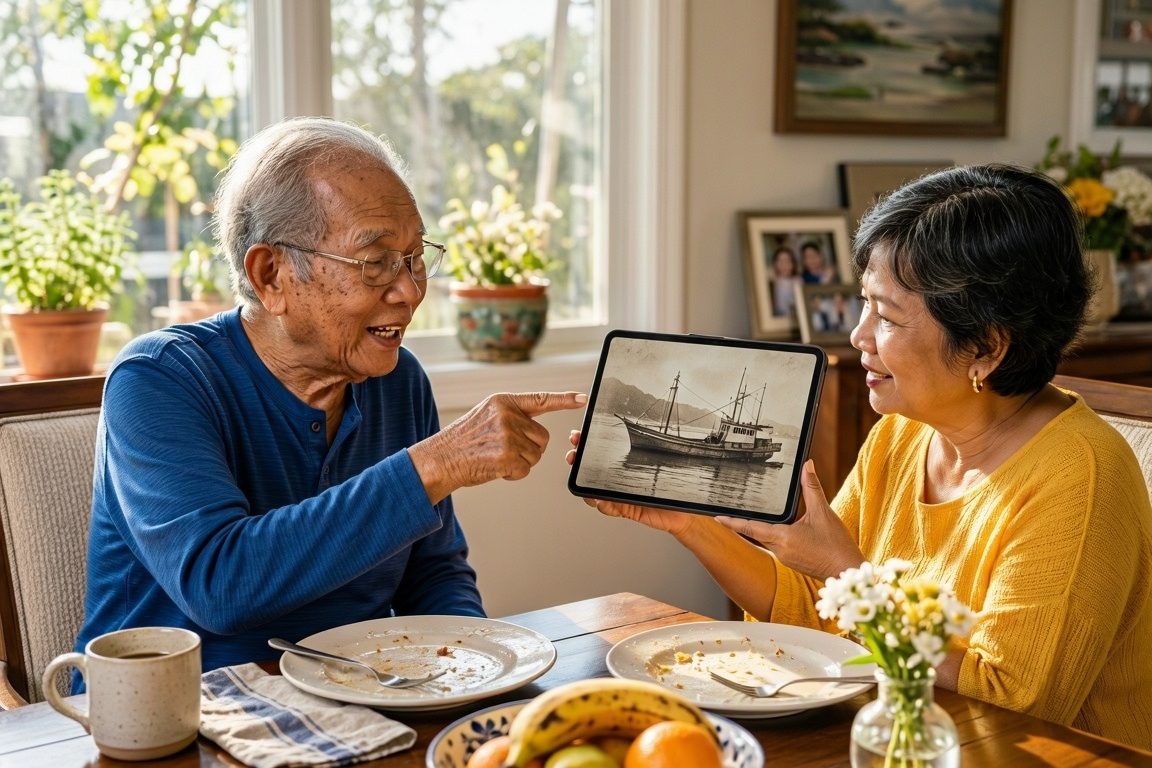
Step by step
What not to do
- Do not ask, 'Do you remember this?' This puts pressure on them and can cause frustration or shame.Instead, say, 'I love this photo. Look at that smile.'
- Do not correct them if they misidentify a person or event. The goal is connection, not accuracy. If they say, 'That's my mother,' and it's actually their sister, just say, 'Yes, she was so kind,' and move on.
- Do not overwhelm them with too many photos at once. One or two photos per session is enough. A flood of images can cause confusion or agitation.
- Do not use photos of people who have died unless you are prepared for a grief reaction. If they ask about a deceased person, respond gently: 'She's not here right now, but we can talk about her.'
- Do not force the activity if they seem tired, irritable, or uninterested. Respect their mood and try again later. The goal is a positive experience, not a task to complete.
Key points
- Digital photos from early adulthood are most effective for sparking memories and positive emotions.
- Use inviting phrases like 'I found something special' instead of 'Do you remember?' to avoid pressure.
- PONGA's voice recording feature turns photos into interactive, replayable stories that can be enjoyed again and again.
- Keep sessions short (10-15 minutes) and end on a positive note to build a comforting routine.
- Adapt the approach to the stage of dementia: early-stage can use the app independently; late-stage focuses on sensory comfort.
- Always respect your loved one's mood and stop if they seem tired or agitated.
Videos
 An Interview with Barbara Tien Co-Founder of PONGAThis video explains how PONGA was designed specifically for reminiscence therapy, including its voice recording feature and how it can be used during video calls. It gives you a direct look at the app's interface and purpose.
 Simple dementia trick to get your loved one talking and feeling happy.This video demonstrates a simple, effective technique for using photos to spark conversation and joy. It reinforces the approach of using positive, open-ended prompts rather than direct questions.
 Grandpa, Do you Know who I am? (Dementia Tips)This video offers practical tips for connecting with a loved one who may not recognize you, including using photos as a bridge. It is helpful for understanding how to handle moments of confusion during reminiscence.
 dementia gift guide 2018This video includes gift ideas that support engagement, such as photo albums and digital frames. It can inspire you to combine PONGA with other tools for a richer experience.
2 more videos
 How to keep a dementia patient busyThis video offers activity ideas that can be paired with digital photo sessions, such as sorting photos or creating a memory box. It helps you extend the engagement beyond the screen.
 Why Meal Refusal Happens with Dementia (And How to Tackle It Without a Fight)While focused on meals, this video teaches communication strategies that apply to photo sessions: using a calm tone, avoiding pressure, and respecting their choices. These skills are directly transferable.
Background
Why Digital Photos Work for Reminiscence Therapy
In dementia, recent memories fade first, but memories from early childhood, adolescence, and early adulthood often stay strong. This is because those older memories are more deeply encoded in the brain. When you show a digital photo from their youth, a picture of their old home, their high school, or a car they once owned, you tap into a part of their mind that is still accessible. This can bring a smile, a story, or a moment of recognition that feels like a gift for both of you.
How PONGA Makes This Easier
PONGA is a modern app that lets you combine digital photos with voice recordings. You can select a photo, press a button, and record a short story or question about it. This turns a simple picture into an interactive experience. For example, you can show a photo of a family vacation and record yourself saying, 'Remember that beach trip? You built a sandcastle with the kids.' The app stores these voice-narrated photos, so your loved one can revisit them anytime, even when you're not there. It's like having a conversation that can be replayed.
The Emotional Benefit for Both of You
When your loved one engages with a familiar photo, they often feel a sense of pride, belonging, and joy. This can reduce anxiety and agitation, especially during sundowning or when they feel confused. For you, the caregiver, these moments of connection can be deeply rewarding. They remind you that the person you love is still there, even if their memory is changing. It also gives you a tool to share stories with grandchildren or other family members, creating a legacy of shared history.
Practical tools
6
PONGA App (Free or Paid Version)
PONGA is designed for creating voice-narrated photo stories. You can upload photos from your phone or computer, then record a short voice message for each one. The app organizes these into albums that can be played back like a slideshow with audio. It works on tablets and smartphones. For a loved one with dementia, the simplicity of pressing a button to hear a familiar voice can be very comforting. You can also use it during video calls (like Zoom) to share photos and stories in real time.
Phrases to Start a Conversation
Use these exact phrases to open the session: 'I found something that made me think of you,' 'Look what I came across today,' 'I have a story to share with you,' or 'You've been asking about this, so I brought it.' These avoid the pressure of 'Do you remember?' and invite curiosity.
A Simple Photo Selection Checklist
Before the session, choose photos that:
Avoid blurry, dark, or cluttered photos. Label each photo with the year, event, and names on the back or in the app's notes.
A Calm Environment Setup
Create a quiet, comfortable space:
This reduces distractions and helps them focus on the photos.
A Daily Reminiscence Routine
Set aside 10-15 minutes each day at the same time (e.g., after breakfast or before a nap) for a photo session. Consistency builds comfort and expectation. You can use a digital calendar or a simple alarm to remind you. Over time, your loved one may look forward to this ritual.
A Legacy Storybook (Digital or Print)
After several sessions, compile the voice-narrated photos into a digital storybook using PONGA's export feature. You can also print the photos and write the stories in a physical album. This becomes a treasured keepsake for the family and a tool for future caregivers or grandchildren to connect with your loved one.
Different situations
Early-stage dementia (mild cognitive impairment)
Your loved one may still be able to use the app independently. Teach them how to browse photos and record their own voice. Encourage them to create their own albums. This supports their sense of autonomy and purpose. You can also use the app to share photos with friends and family via email or social media, with their permission.
Middle-stage dementia (moderate impairment)
Focus on one photo at a time and use very simple language. Point to the photo and say, 'Look, a dog!' or 'That's a cake.' Let them touch the screen if they want. If they become agitated, switch to a different photo or end the session. Use the voice recording feature yourself to narrate the photo, so they can replay it later when you are not there.
Late-stage dementia (severe impairment)
Your loved one may not be able to speak or respond verbally. Still, they may benefit from hearing your voice and seeing familiar images. Hold the tablet close to their face and speak softly about the photo. Use the voice recording to play a familiar song or a short story. The goal is sensory comfort and connection, not conversation.
Lewy body dementia or Parkinson's disease dementia
Be aware of visual hallucinations or sensitivity to bright screens. Use a matte screen protector and dim the brightness. Choose photos with simple, high-contrast images (e.g., a single person against a plain background). Avoid busy or cluttered photos. If they become frightened by an image, immediately switch to a calming photo of nature or a pet.
In a memory care facility
Coordinate with staff to schedule sessions in a quiet common area or private room. Ask staff to help position the tablet and to be present if needed. You can also share the PONGA app with the activity director so they can use it during group reminiscence activities. Label the tablet with your loved one's name and a note about their preferences.
Adult child vs. spouse caregiver
As an adult child, you may have access to childhood photos of your parent that they have not seen in years. Use these to spark memories of their own childhood. As a spouse, you have shared memories of your life together. Use wedding photos, vacation pictures, or photos of your home. Both roles can benefit from the app's voice recording feature to capture stories for future generations.
For the doctor
3
- If your loved one becomes unusually agitated, tearful, or withdrawn after a photo session, discuss this with their doctor. It may be a sign of depression or anxiety that needs professional support.
- If you are using the PONGA app on a shared device, ask the doctor or a social worker about privacy and consent for recording their voice, especially if they are unable to give informed consent.
- If your loved one has a history of seizures or photosensitivity, check with their neurologist before using a bright screen for extended periods.