Step by step
What not to do
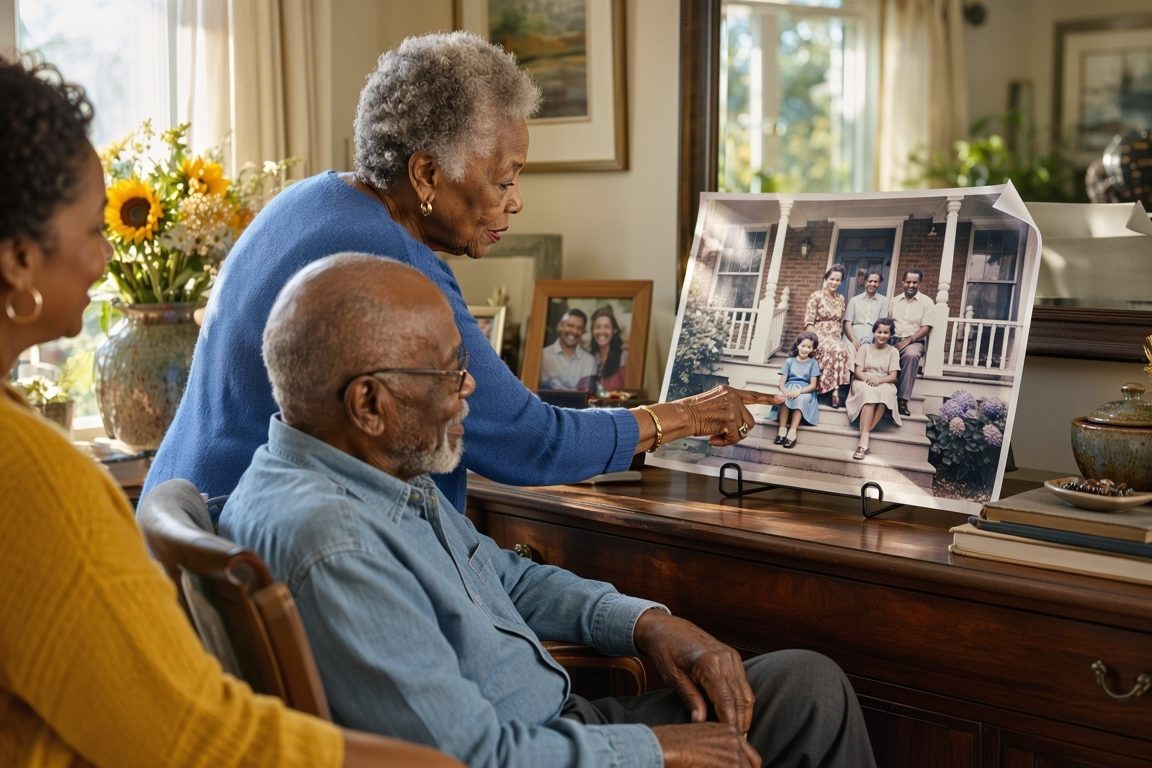
- Do not ask 'Do you remember this?' This puts pressure on the person and can cause anxiety or shame if they cannot recall.Instead, say 'This is a photo from your wedding day' and let them fill in what they can.
- Do not show photos of recently deceased loved ones without careful thought. This can trigger grief or confusion. If you do, be prepared to validate their feelings and gently redirect if needed. For example, if they ask where the person is, you might say 'They are not here right now, but they loved you very much.'
- Do not correct or argue about details. If they say a photo was taken in 1960 when it was actually 1965, let it go. The emotional connection is more important than factual accuracy. Arguing can damage trust and shut down communication.
- Do not overwhelm with too many photos at once. A pile of 20 photos can be confusing. Stick to one or two per session. The goal is depth, not quantity.
- Do not use photos that are too small or blurry. Ensure the image is large and clear. On a tablet, use full-screen mode. For physical photos, consider enlarging them or using a magnifying glass if needed.
- Do not force the activity if the person is tired, hungry, or agitated. Timing is everything. A good time is often after a meal or in the morning when they are most alert. If they are having a bad day, skip it and try again later.
Key points
- PHOTAVIA uses personal photos to tap into preserved long-term memories, improving mood and communication.
- Start with a warm, inviting approach, never test memory; always validate feelings.
- Use one or two clear photos per session, and repeat favorites to build comfort and ritual.
- Incorporate other senses (sound, smell, touch) to deepen the reminiscence experience.
- Avoid correcting details; focus on the emotional truth of the memory.
- Adapt the approach for different stages and settings, what works at home may need adjustment in a facility.
Videos
 Using Reminiscence Therapy To Help Dementia PatientsThis video provides a clear overview of how reminiscence therapy works, including photo-based techniques, and offers practical tips for caregivers.
 Simple dementia trick to get your loved one talking and feeling happy.Demonstrates a simple, effective photo-based activity that can quickly lift mood and spark conversation, perfect for beginners.
 Grandpa, Do you Know who I am? (Dementia Tips)Addresses the emotional challenge of face recognition and offers strategies using photos and names to maintain connection.
 Exploring RecallCue, A Dementia Day Clock, with Creator Dani WaxmanShows how technology can be used to display photos and names, reinforcing the PHOTAVIA approach in a daily routine.
2 more videos
 How Can I Improve My Brain Health?Provides context on brain health and the role of reminiscence in maintaining cognitive function, supporting the rationale for PHOTAVIA.
 Radio Show VoiceAmericaFeatures expert discussion on multisensory stimulation and reminiscence therapy, including photo-based methods, for dementia care.
Background
What is PHOTAVIA and How Does It Work?
PHOTAVIA is a specific method of reminiscence therapy that centers on using personal photographs to stimulate memory and conversation. The core idea is that long-term memories, especially those from early adulthood and childhood, are often preserved longer in dementia than recent memories. By presenting photos from those earlier years, you can help the person access a time when their brain was at its strongest, creating a bridge to the present. Research from the Cochrane Dementia and Cognitive Improvement Group shows that reminiscence therapy, including photo-based approaches, can improve quality of life, communication, and mood for people with dementia, even if the effect size is modest. The key is that it is not about testing memory but about evoking feelings and stories.
Why Photos Are So Powerful for People with Dementia
Photos provide a visual anchor that can bypass the confusion of the present moment. When someone with dementia sees a picture of their childhood home, their wedding, or a beloved pet, the image can trigger a flood of associated emotions and memories. This is because the brain areas that process visual recognition and emotional memory are often less damaged in early to moderate stages than the areas responsible for recent recall. The Alzheimer's Association notes that reminiscence therapy can be beneficial because it taps into preserved long-term memory. Moreover, the act of looking at photos together creates a shared activity that reduces feelings of isolation and worthlessness that often accompany dementia. It gives the person a sense of purpose and validation as they share their life story.
The Role of Technology in PHOTAVIA
While physical photo albums are wonderful, technology can enhance PHOTAVIA in powerful ways. Using a tablet, smartphone, or computer allows you to easily display a slideshow of photos, zoom in on details, and even add music or captions. Video calls that include photo sharing can help a loved one who is struggling with face recognition, seeing a name on the screen alongside a familiar face can be a helpful cue. For example, you can use a video call to show a photo of a grandchild and say, 'Look, here is Sarah at her birthday party.' The combination of visual and auditory cues can be more effective than either alone. However, always ensure the technology is set up in advance so you are not fumbling with devices during the interaction.
Practical tools
6
The 'Memory Box' or 'Life Story Book'
Create a physical or digital box of 10-15 carefully chosen photos, each labeled with the person's name, the year, and the event (e.g., 'Mom and Dad, 1962, Wedding Day'). Arrange them in chronological order. Use a binder or a tablet folder. This becomes a go-to resource for calm, positive interaction.
The 'Two-Photo Technique'
Show two photos side by side: one from the past and one from the present. For example, a photo of the person's childhood home and a recent photo of the same house. This can help bridge time and reduce confusion. Say 'Look, here is your old house, and here is how it looks now.'
The 'Name-and-Face' Cue Card
For video calls or in-person visits, have a small card or digital overlay that shows the person's name and relationship (e.g., 'Sarah, your granddaughter'). This is especially helpful when the person has trouble recognizing faces. The Alzheimer's Association suggests that having a name on the screen can be very helpful.
The 'Sensory Pairing' Checklist
For each photo, note one additional sensory cue you can add. For a photo of a garden, have a flower to smell. For a photo of a kitchen, have a spice to taste. For a photo of a pet, have a stuffed animal to touch. This checklist ensures you are engaging multiple senses.
The 'One-Question' Prompt
Prepare a single, open-ended question for each photo that focuses on feelings, not facts. For a photo of a vacation: 'What was your favorite part of that trip?' For a photo of a family gathering: 'Who made you laugh the most that day?' This keeps the conversation flowing naturally.
The 'Digital Slideshow' Setup
Use a tablet or computer to create a simple slideshow of 5-10 photos with soft background music from their era (e.g., 1940s swing or 1950s doo-wop). Set it to loop slowly (15-20 seconds per image). This can be a calming, passive activity when the person is restless or anxious.
Different situations
For someone with Lewy body dementia
Be extra cautious with visual stimuli. Lewy body dementia can cause visual hallucinations, so complex or busy photos might be overwhelming. Use simple, high-contrast images with one focal point. Also, be aware that their attention may fluctuate more, so keep sessions short (5-10 minutes) and be ready to stop abruptly.
For late-stage dementia (moderate to severe)
Focus on sensory comfort rather than verbal recall. Use a single, large photo of a loved one's face or a familiar object (like a favorite chair). Hold the photo close and describe it in simple terms: 'This is your son. He has kind eyes.' The goal is to evoke a feeling of safety and connection, not conversation. You may need to do this while they are seated in a calm environment.
For a spouse vs. an adult child caregiver
As a spouse, you have shared decades of memories. Use photos of your life together, your first home, your honeymoon, your children as babies. As an adult child, focus on photos from their early adulthood (before you were born) or from your own childhood with them. This can help them see you as a familiar part of their story, not just a caregiver. Avoid photos that might remind them of their decline (e.g., recent photos of them looking frail).
In a memory care facility or senior living community
Create a communal 'memory wall' with photos of residents from their younger years, labeled with names and dates. This can be a shared activity that sparks conversation among residents. For group sessions, use a large screen or projector to show photos one at a time, and invite residents to share stories. Ensure the environment is quiet and free from competing noises (like loud TVs).
For someone with limited English or cultural differences
Use photos that reflect their cultural background, traditional clothing, food, festivals, or landmarks. If they speak a different language, label photos in that language and use simple phrases they understand. The emotional resonance of a familiar cultural image can transcend language barriers. Consider involving a bilingual family member or staff member to facilitate.
For the doctor
4
- If the person becomes consistently agitated or distressed when looking at photos, discuss with their doctor whether this is a sign of underlying anxiety or depression that might benefit from treatment.
- If you are using a tablet or smartphone for PHOTAVIA and the person has a history of seizures, ask their neurologist if screen flicker or bright light could be a trigger.
- If the person has significant visual impairment (e.g., from macular degeneration or cataracts), ask their eye doctor about the best way to present images (e.g., high contrast, large print, or audio descriptions).
- If the person is on medications that cause drowsiness or confusion, discuss with their prescriber whether the timing of the PHOTAVIA session should be adjusted to when they are most alert.