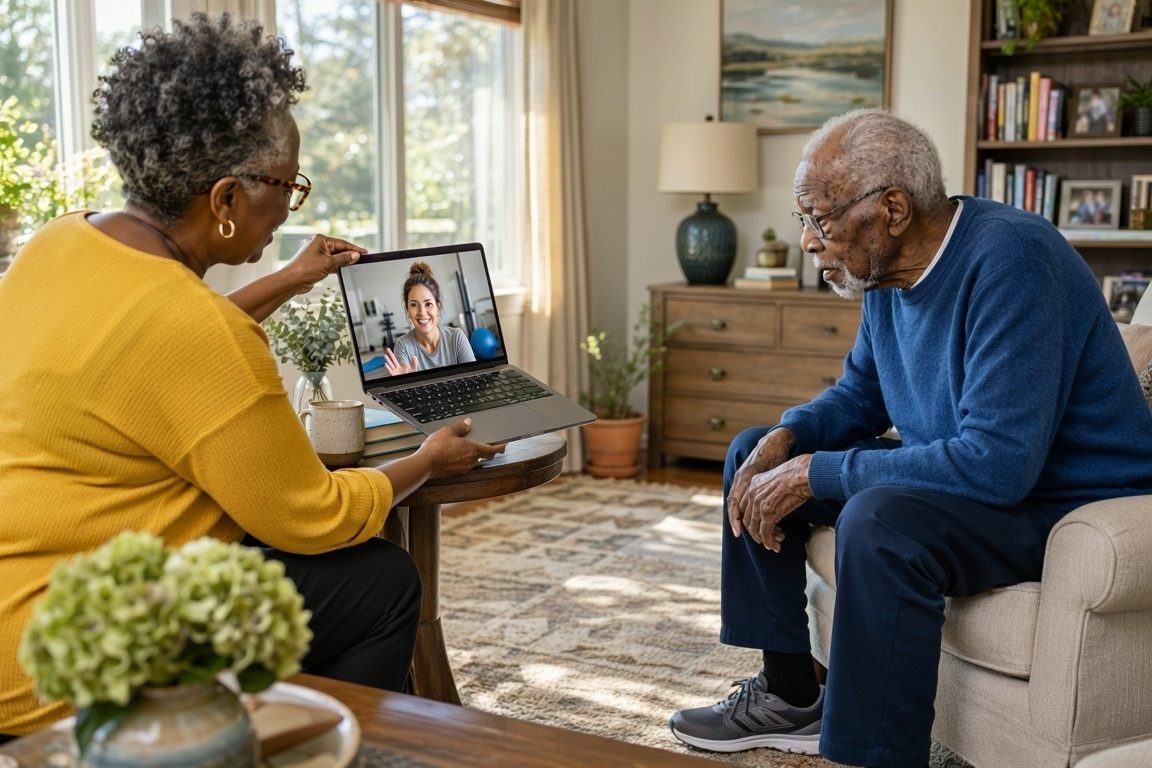
Step by step
What not to do
- Don't introduce the device cold, first make playful video calls or watch videos so the technology feels familiar.
- Don't expect your loved one to remember exercises from memory alone; use recorded sessions or printed handouts from the therapist.
- Don't leave your loved one alone during early sessions if they are anxious or have balance problems.
- Don't criticize their effort or compare them to others; acknowledge the effort and suggest trying a different way together.
- Don't skip sessions on a bad day; ask the therapist for a shorter, gentler version.
- Don't wait for them to report pain, watch for wincing, holding breath, or gripping the chair, and tell the therapist immediately.
Key points
- Onboarding is the most critical step: make the first session easy, short, and supported by a caregiver's presence.
- Use a device the senior is already comfortable with, or request a pre-loaded tablet from the provider.
- Set up a safe, clutter-free exercise space with good lighting and a sturdy chair for support.
- Be patient and positive: celebrate small wins, use simple language, and never force a session.
- Adapt your approach based on the type and stage of dementia, what works for early-stage Alzheimer's may not work for Lewy body or late-stage.
- Leverage community resources: adult day centers, VA benefits, and peer support groups can enhance the experience.
Videos
 An Interview with Dr. Jim Feng of PhyxableThis interview directly addresses the challenges of onboarding seniors to virtual physiotherapy, including the importance of a simple one-button setup and the psychology of engagement.
 How to get dementia help without needing a nursing homeThis video provides practical strategies for accessing therapy services at home, including virtual options, which is exactly what this article covers.
 How to assist someone transferring from a bed to a wheelchairA virtual physiotherapist may teach safe transfer techniques. This video shows the kind of hands-on skill a caregiver can learn through virtual coaching.
 Senior Won't Bathe? 9 Tips For How To Get Your Elderly Parent To ShowerBathing is a common concern for seniors with mobility issues. Virtual physiotherapy can improve strength and balance for safer bathing, and this video offers complementary tips.
2 more videos
 Why Do Elderly Parents With Dementia Become AgitatedAgitation can derail a therapy session. This video helps caregivers understand triggers and de-escalation techniques, which are essential during onboarding.
 The Baffled Brain: Demystifying Dementia Episode 27 June 5 ,2021This episode discusses how to adapt communication and activities for people with dementia, directly relevant to personalizing virtual physiotherapy.
Background
Why Virtual Physiotherapy Matters for Seniors
Virtual physiotherapy is not just for athletes or people recovering from sports injuries. For older adults, it is a powerful tool to maintain independence, manage pain, and safely age at home. As one physical therapist explains, the goal is to help people who are not moving well to reengage with activities they enjoy. This is especially important for seniors with dementia or chronic conditions, where a fall or loss of mobility can lead to a rapid decline. Virtual sessions remove the need for travel, reduce exposure to illness, and allow therapy to happen in the familiar, safe environment of home.
The Core Challenge: Onboarding and Engagement
The biggest hurdle is not the therapy itself, it is getting started. Many seniors have never used video calls like Zoom, and the idea of exercising in front of a screen can feel strange or intimidating. Experts emphasize that onboarding is the key. If the first experience is confusing or frustrating, the senior may refuse to continue. But if you make the setup simple, provide a warm introduction, and build a sense of community, the senior can become excited about their progress. Prevention is hard because humans are naturally lazy, so the platform must be easy to use and psychologically engaging. The good news is that many virtual physiotherapy services are designed to work on any device, a phone, tablet, or computer, and some even provide a pre-loaded tablet with a single button to start.
What to Expect: A Typical Virtual Session
A virtual physiotherapy session usually begins with a live video call with a licensed physical therapist. The therapist will assess the senior's movement, pain, and goals, then guide them through exercises in real time. The senior can see the therapist's demonstrations, and the therapist can see the senior's movements to correct form and prevent injury. Sessions are often recorded or supplemented with exercise videos the senior can do on their own. The therapist may also recommend simple adaptive equipment, like a grab bar in the bathroom or a weighted utensil, to make daily tasks safer and easier. The entire experience is designed to be flexible: if the senior can only manage 20 minutes, that is perfectly fine.
Practical tools
5
Simplified Device Access
Ask if the provider can supply a pre-loaded tablet with a single button to join sessions; otherwise, bookmark the session link on the home screen with a large 'Physio' icon.
Low-Stakes Framing Script
Before the first session say: 'We'll try this for 10 or 15 minutes. I'll stay with you. If you don't like it, we stop. No pressure.' This lowers anxiety and gives control.
Pre-Session Safety & Tech Checklist
A one-page checklist to tape near the device:
Tech Failure Backup Plan Card
A laminated card with:
Dementia Communication Card
Small card beside you:
Different situations
Early-stage dementia (Alzheimer's or vascular)
Use very short, simple instructions. Demonstrate each exercise yourself before asking them to try. Keep sessions to 10-15 minutes. Use visual cues like a picture of the exercise on a card. Avoid open-ended questions like 'What do you want to work on?' Instead, say 'Let's do this leg lift together.' The therapist should be informed of the diagnosis so they can use a slower pace and more repetition.
Lewy body dementia or Parkinson's disease
These conditions often involve fluctuations in attention and mobility. Schedule sessions during the senior's 'on' times (when they are most alert and steady). Be prepared for sudden stiffness or freezing. The therapist should focus on balance exercises and strategies to prevent falls. Use a chair with armrests for support. Avoid exercises that require quick changes in direction.
Late-stage dementia or significant cognitive decline
Virtual physiotherapy may not be appropriate if the senior cannot follow simple instructions or becomes agitated by the screen. In this case, ask the therapist for a home visit or a caregiver training session instead. The therapist can teach you how to do passive range-of-motion exercises or safe transfers. As one source notes, even on hospice, you can request a therapist to teach you how to transfer your loved one safely.
Spouse vs. adult child as caregiver
If you are the spouse, you may have your own health limitations. Ask the therapist to include exercises you can do together, such as seated stretches or partner balance activities. If you are an adult child, you may need to manage the technology from a distance. Set up the device and test the connection before each session. Use a shared calendar to coordinate with other family members who may help.
Senior is a veteran (US)
If your loved one is a veteran, contact the VA system. They have excellent geriatric programs and may provide virtual physiotherapy at no cost. A VA social worker can help with enrollment and equipment. This is a valuable resource that many families overlook.
For the doctor
5
- Ask the doctor: 'Is virtual physiotherapy safe for my loved one given their specific heart condition, recent surgery, or balance issues?'
- Ask the doctor: 'Are there any exercises my loved one should absolutely avoid due to their osteoporosis, joint replacements, or history of falls?'
- Ask the doctor: 'Should any medications be adjusted around the therapy sessions to prevent dizziness or fatigue?'
- Ask the doctor: 'If my loved one has dementia, is there a specific type of physical therapy (like geriatric or neuro) that would be most appropriate?'
- Ask the doctor: 'Can you provide a referral for a physical therapist who specializes in older adults or dementia care?'