Step by step
What not to do
- Don't introduce a new technology during a moment of crisis or agitation. If your loved one is already upset, a new screen or sound can overwhelm them further.Instead, try the tool during a calm time first, like after a meal. Say, 'Let's try something new together for a few minutes,' and sit with them the first time.
- Don't expect your loved one to learn how to use a new device on their own. Dementia affects learning and memory, so they may not remember how to start a video or answer a call. Set everything up so it plays automatically or with a single tap. If you leave them with a complex remote, they may become frustrated and call for you, defeating the purpose of respite.
- Don't use technology as a substitute for all human interaction. The goal is to give you a break, not to isolate your loved one. Balance screen time with face-to-face connection. For example, use a 20-minute video as a break for yourself, but then spend 10 minutes talking about what they watched. This keeps the human connection strong.
- Don't leave your loved alone with technology if they have a history of wandering or getting into trouble online. If they might give out personal information or order things, use a device with parental controls or a 'kiosk mode' that locks them into one app. For example, on an iPad, go to Settings > Accessibility > Guided Access to lock the screen to one app.
- Don't assume that all technology is helpful. Some tools, like complex video games or social media, can cause confusion, arguments, or anxiety. Stick to simple, passive content that doesn't require following a plot or making decisions. Memory Lane TV and nature videos are designed for this purpose. If your loved one seems agitated by a tool, stop using it and try something else.
- Don't feel guilty about using technology for respite. Many caregivers feel they should be 'on' all the time, but rest is a necessity, not a luxury. Taking a short break actually strengthens your ability to provide good care. Remind yourself: 'I am using this tool so I can be a better caregiver, not because I am abandoning my loved one.'
Key points
- Technology-based respite is a low-cost, flexible way to get a break at home without leaving your loved one alone or in an unfamiliar place.
- Choose tools that are simple, passive, and don't require following a plot, like Memory Lane TV, nature videos, or a smart speaker playing music.
- Create a daily 'respite routine' by scheduling the same digital activity at the same time, so both you and your loved one know what to expect.
- Use a dementia day clock to reduce repetitive time-related questions, giving you a break from constant redirection.
- Join an online support forum to get emotional support and practical tips while your loved one is engaged with a digital activity.
- Test any new tool during a calm time first, and never introduce it during a moment of crisis or agitation.
Videos
 How Does Dementia Assistance Help Relieve Caregiver Stress? | TestThis video explains how structured care plans and emotional support, including digital tools, can reduce caregiver stress, which is the foundation of using technology for respite.
 How Do Online Support Forums for Dementia Help Address Caregiver Stress? | TestThis video highlights how online forums provide social connection and practical advice, which complements the use of technology for your loved one's engagement.
 How Does Respite Care Fit Into A Dementia Care Plan? - Dementia Help HubThis video explains how respite care, including technology-based options, acts as a 'pause button' in a dementia care plan, preventing caregiver burnout.
 Listen to what Teepa Snow has to say about Memory Lane TVTeepa Snow, a dementia care expert, endorses Memory Lane TV as a tool that provides high engagement without high cost, making it ideal for caregiver respite.

Practical tools
6
Memory Lane TV
A streaming service designed specifically for people with dementia. It offers music, nature scenes, and nostalgic content that doesn't require following a plot. Can be used on a smart TV, tablet, or computer. Cost is about $10/month. Set it to play automatically during a specific time each day. The content can be used to energize, calm, or maintain mood. Many caregivers report reduced anxiety and improved mood in their loved one, giving them a reliable window of respite.
Dementia Day Clock (Recall Cue app or physical clock)
A clock that shows the time of day, day of week, and a simple label like 'morning' or 'afternoon.' Reduces repetitive questions about time. The Recall Cue app can be installed on an old tablet or smartphone and also allows sending messages. Place it in a visible spot. This tool can give you a break from constant redirection. Cost: free for basic app, or $30-50 for a physical clock.
Smart Speaker (Amazon Echo or Google Nest)
Use voice commands to play music, audiobooks, or nature sounds. No screen needed, which is helpful for people who are overwhelmed by visuals. Say, 'Alexa, play relaxing piano music' or 'Hey Google, set a timer for 30 minutes.' You can also set routines: 'Alexa, start my afternoon routine' to play a specific playlist. Cost: $25-50 for a basic model.
Video Call Setup (FaceTime, Zoom, or Skype)
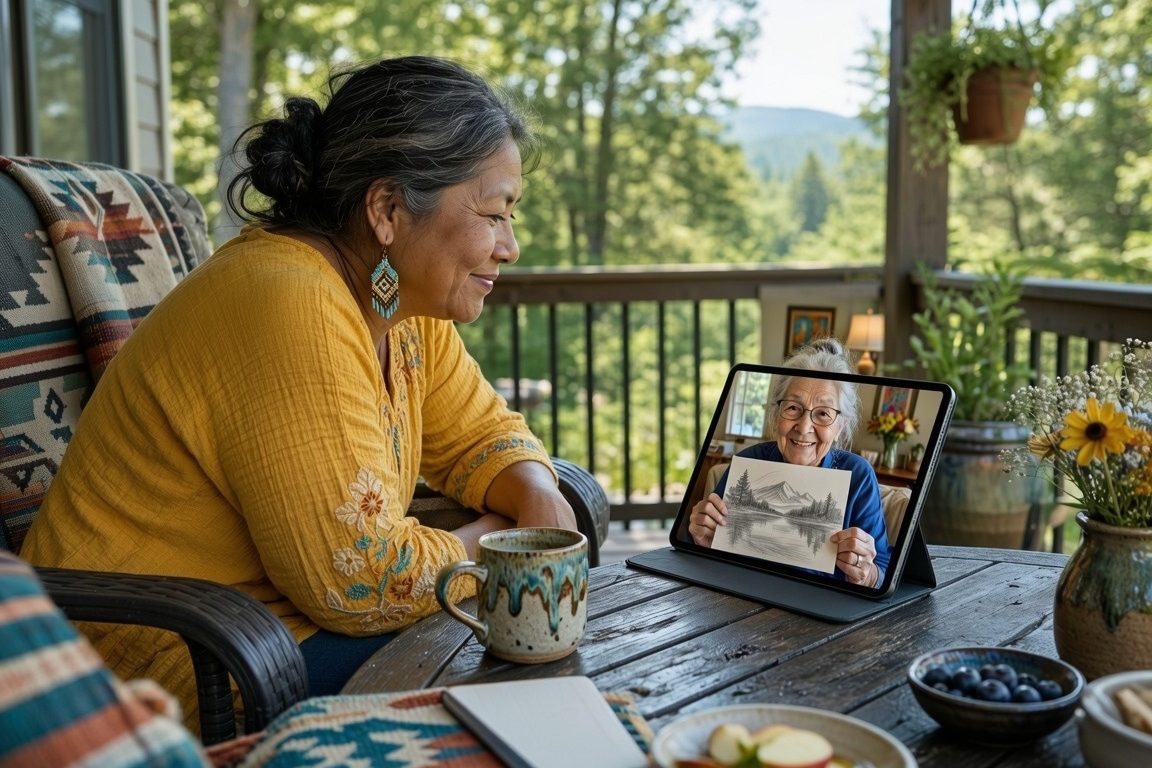
Use a tablet or computer for short, scheduled video calls with familiar people. Keep the contact list short (2-3 people). Before the call, send a text to the other person with tips: '
' The person's name appears on the screen, which helps with recognition. This gives you 10-15 minutes of respite while your loved one is engaged. Cost: free if you already have a device.
Digital Memory Box (Google Photos or simple slideshow app)
Create a folder of short, looping videos of family members, pets, or familiar places. Use a tablet or old phone. Set it to play automatically. This provides comfort and engagement without requiring navigation. Update the content every few weeks to keep it fresh. Cost: free.
Online Support Forums (Alzheimer's Association community, Facebook groups)
Join a forum for dementia caregivers to get emotional support, practical tips, and social connection. Spend 10-15 minutes reading or posting while your loved one is engaged with a digital activity. This reduces feelings of isolation and provides validation. Look for groups that are moderated and focused on dementia care. Cost: free.
Different situations
Early-stage dementia (mild cognitive impairment)
Your loved one may still be able to learn simple new tasks. Try a tablet with a single app like a puzzle game or a digital photo album. They might enjoy browsing Facebook photos with you nearby. Use technology as a shared activity first, then gradually step away for short periods. The goal is to build their confidence and your comfort.
Middle-stage dementia (moderate cognitive decline)
Focus on passive, sensory-rich content like Memory Lane TV or nature videos. Avoid anything that requires decision-making or following a plot. Use a dementia day clock to reduce confusion about time. Set up a simple video call routine with one familiar person. Your respite windows may be shorter (15-20 minutes) but more frequent.
Late-stage dementia (severe cognitive decline)
Use very simple, calming content like slow nature scenes or soft music. Avoid any content with sudden changes or loud sounds. A smart speaker with voice commands can play familiar songs. Your loved one may not be able to use a device independently, so set everything to play automatically. Your respite may come from knowing they are safe and calm, even if you are in the same room.
Lewy body dementia or Parkinson's disease dementia
Be cautious with visual stimuli, as these conditions can cause visual hallucinations. Stick to audio-based tools like a smart speaker playing music or audiobooks. Avoid flashing lights or rapid scene changes. If using video, choose very simple, slow content. Monitor for signs of agitation or confusion and stop immediately if they appear.
Spouse caregiver vs. adult child caregiver
Spouse caregivers may feel more guilt about using technology for respite, as they see caregiving as part of their marital role. Remind yourself that taking a break strengthens your ability to care for your partner. Adult child caregivers may have more comfort with technology but less time to set it up. Use simple, one-step tools like a smart speaker. Both roles benefit from online support forums tailored to their situation.
For the doctor
4
- Ask your doctor: 'Are there any specific types of digital content (like music or nature videos) that are recommended for my loved one's stage of dementia?'
- Ask your clinician: 'Could using a tablet or smart speaker interfere with any medications or treatments my loved one is receiving?'
- Ask a dementia specialist: 'Are there any online support forums or apps you recommend for caregivers in my situation?'
- Ask your loved one's neurologist: 'Is there a risk that certain types of screen time could worsen agitation or hallucinations in my loved one's specific type of dementia?'