Step by step
What not to do
- Do not install cameras in bathrooms or bedrooms without ongoing consent, this feels invasive and damages trust. Stick to common areas; if your loved one objects, use motion sensors or door alarms instead.
- Do not introduce multiple new devices at once, it overwhelms and creates resistance. Start with one or two tools addressing the biggest safety concerns, let them get comfortable, and involve them in choosing what comes next.
- Do not assume they can learn a smartphone app or complex interface on their own, many older adults need simple, large-button designs or voice control. Offer to set up, demonstrate, and practice together; switch to a simpler alternative if frustration arises.
- Do not let technology substitute human companionship. Maintain in-person visits, phone calls, and video chats; use adult day centers, volunteer visitors, or a pet to combat loneliness.
- Do not ignore ongoing costs of subscriptions and devices. Research free or low-cost options through your Area Agency on Aging, VA, or nonprofits; prioritize tools that address the most serious safety risks first.
- Do not wait for a fall or wandering incident to start using technology. Introduce tools during a calm moment with a simple opener like, 'I want to help you stay safe here as long as possible.'
Key points
- Start with a home safety assessment to remove fall risks before adding technology.
- Choose simple, one-function devices (door sensors, video calls) over complex systems to avoid overwhelming your loved one.
- Involve your loved one in choosing and setting up technology to reduce resistance and build trust.
- Use technology to supplement, not replace, human interaction, schedule regular visits and adult day services.
- Plan for emergencies by having backup caregivers and a list of local resources (Area Agency on Aging, VA).
- Reassess technology every few months as needs change, and be willing to try new tools or discard what doesn’t work.
Videos
 An Interview with Dr. Richard Caro Co-Founder of Tech-Enhanced LifeDr. Caro discusses how technology can enhance life for older adults aging in place, including practical examples of monitoring and communication tools.
 Steve Gurney, Founder of Positive Aging Community, Offers Guidance on Shopping for Senior LivingSteve Gurney provides tips on evaluating senior living options and how technology can support aging in place as an alternative to moving.
 How to get dementia help without needing a nursing homeThis video covers community-based services like adult day centers and in-home care that can be combined with technology to keep someone with dementia at home longer.
 Liza Berger and Diane Eastabrook of McKnights Home CareExperts discuss the role of home care technology, including remote monitoring and medication management, in supporting aging in place.
2 more videos
 Courageous Conversations: Dementia and Aging Considerations for the LGBTQ CommunityThis video addresses unique considerations for LGBTQ older adults, including how to choose technology that respects privacy and identity.
 The Baffled Brain: Demystifying Dementia Episode 22 April 24 ,2021This episode explains how dementia affects daily living and offers strategies for using technology to support safety and independence at home.
Background
What is aging in place and why does it matter?
Aging in place means living in your own home or a familiar community for as long as possible, avoiding a move to a managed long-term care facility. For many older adults, this is about maintaining familiarity, stability, and a sense of home, even if that means having family move in or moving in with family. Surveys show that 70-90% of people over 60 want to stay in their own homes, but safety and health needs often make this challenging. Technology can bridge that gap, helping you monitor, communicate, and assist without being physically present every moment.
Why technology is a game-changer for caregivers
Technology can reduce the need for a worker to be physically present by allowing you to see and sense what is happening at home. For example, cameras, door sensors, and emergency alert systems can alert you if a door opens unexpectedly or if your loved one has fallen. This is especially powerful given the workforce shortage in home care, you can extend your reach and respond faster. However, technology must be matched to the person’s ability and comfort level. Some older adults may resist cameras or find complex devices confusing, so start simple and involve them in the choice.
The role of mobility and transportation technology
Mobility is a key part of aging in place. For older adults who no longer drive, new mobility technologies like ridesharing services (e.g., Uber, Lyft) and autonomous vehicles can help maintain independence. Studies show that older adults, including those 85 and older, have positive attitudes toward self-driving cars and believe they can expand their range of activities. However, reliability, cost, and safety are top concerns. For now, ridesharing services are widely available and can be scheduled by a caregiver or the older adult using a smartphone app. For those who are not tech-savvy, consider a simple phone service that books rides for them.
Practical tools
9
Fall Hazard Checklist
Printable checklist from the National Aging in Place Council or local Area Agency on Aging to systematically remove tripping risks (loose rugs, clutter, poor lighting, pet bowls).
Plug-and-Play Camera (e.g., Wyze Cam, Ring)
Video camera for common areas (stove, front door, favorite chair) to check on safety. Explain its purpose as connection and safety, not surveillance.
Door/Motion Sensors (e.g., SimpliSafe)
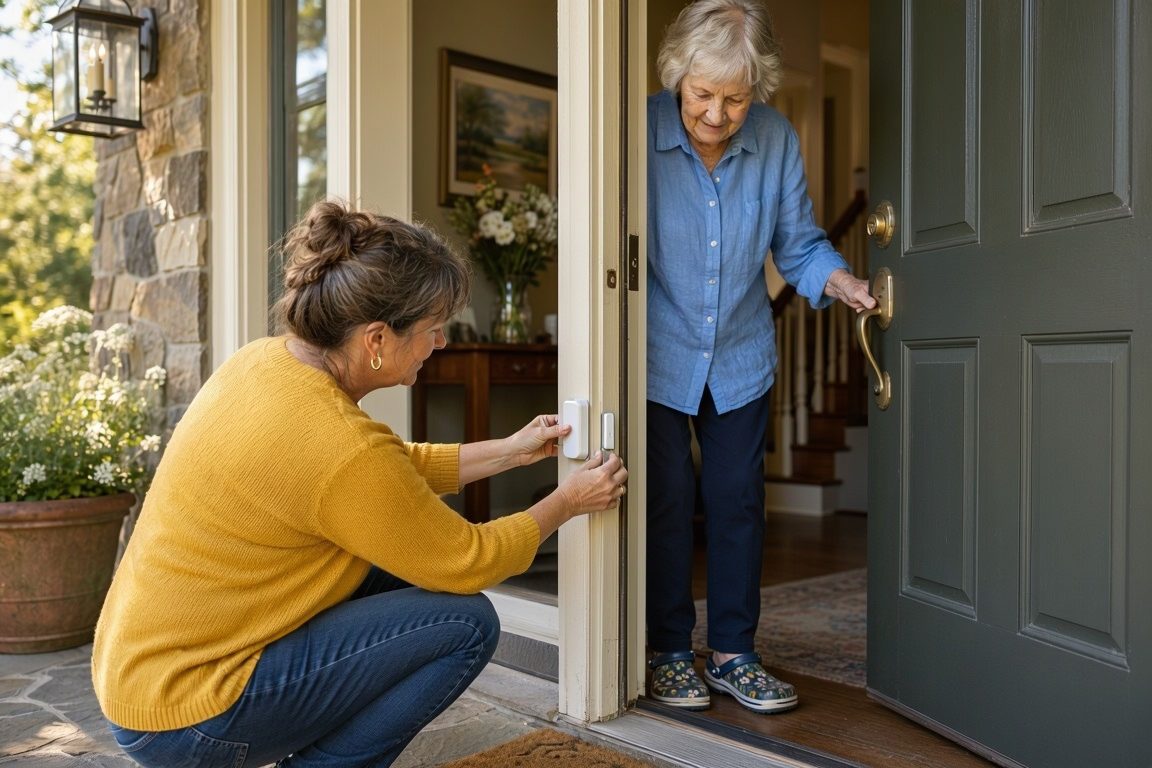
Small, no-camera sensors on exterior doors and key rooms (bathroom, bedroom) to alert you to movement or unexpected entry without invasiveness.
Wearable Emergency Response (e.g., Life Alert, MobileHelp, Apple Watch)
Medical alert pendant (necklace or wrist style) or smartwatch with fall detection.
Smart Medication Dispenser (e.g., Hero, MedMinder)
Device that sorts doses, locks between times, and sends alerts for missed doses. Program together with their pharmacy's list. Simpler alternative: weekly pill organizer with TimerCap.
Voice-Activated Video Device (e.g., Amazon Echo Show, Facebook Portal)
Hands-free video calling device placed in kitchen or living room. Teach 'Alexa, call [your name].' Simpler alternative: large-button landline or Jitterbug phone.
Remote-Controlled Ride Service (e.g., Uber, Lyft)
Account configuration that allows you to book rides for your loved one remotely, coordinating with volunteer driver programs or senior shuttles from Area Agency on Aging. Prioritize door-through-door service for those 85+.
Adult Day Center Locator
Find programs via National Adult Day Services Association or Alzheimer's Association Community Resource Finder for social engagement and caregiver respite. Check VA benefits if veteran.
1 more tool
GPS Tracker (e.g., AngelSense)
Add to a keychain or shoe if wandering becomes a concern, providing real-time location alerts. Consider a smart bed sensor for nighttime fall detection.
Different situations
Early-stage dementia or Alzheimer's
Focus on simple, non-intrusive technology that maintains independence without causing confusion. Use door sensors and motion detectors rather than cameras, as cameras may feel invasive. Introduce a GPS tracker (like AngelSense) in a shoe or bag if wandering is a concern. Avoid complex devices, stick to one-button emergency alerts and a simple video call device. Involve the person in choosing the technology to reduce resistance.
Late-stage dementia or Alzheimer's
Prioritize safety above all. Use bed sensors that alert you if the person gets up at night, and door alarms on all exits. Consider a smart home system that can lock doors automatically at night. Video monitoring in common areas is essential to check for falls or wandering. For communication, use a simple one-button call system (like a Jitterbug phone) or a voice-activated device. Respite care and adult day services become critical, use technology to coordinate care with multiple family members via a care app like Carely.
Lewy body dementia or Parkinson's
Be aware of visual hallucinations and movement issues. Avoid cameras with flashing lights or complex interfaces that could trigger confusion. Use motion sensors with gentle alerts (like a soft chime) rather than loud alarms. For mobility, consider a walker with a seat and a fall detection pendant. Medication management is crucial, use a smart dispenser that locks to prevent double-dosing. Discuss with your clinician about any technology that might interact with medication side effects.
Spouse vs. adult child caregiver
If you are a spouse, you may be living with your loved one full-time. Technology can give you breaks, use a video call device to check in from another room, or a smart speaker to set reminders. If you are an adult child living separately, focus on remote monitoring: cameras, door sensors, and a medication dispenser that alerts you. Use a care coordination app (like Carely) to share updates with siblings. In both cases, schedule regular respite care to prevent burnout.
Low income or Medicaid
Many technologies have costs, but free or low-cost options exist. Contact your local Area Agency on Aging for free emergency alert devices or discounted ridesharing. The VA may provide technology for veterans. Look into the Program of All-Inclusive Care for the Elderly (PACE) if available in your area, it covers adult day services, home care, and some technology. Use a simple landline phone with large buttons instead of a smartphone. Prioritize the most critical safety tools (door sensors, fall detection) and skip non-essentials.
For the doctor
5
- Ask your loved one’s doctor if a smart pill dispenser is appropriate given their current medications and cognitive status, especially if they have a history of missed doses or overdosing.
- Discuss with a geriatric care manager or social worker whether a GPS tracker is suitable for a person with dementia who wanders, and how to introduce it without causing distress.
- If your loved one has a history of falls, ask their physical therapist about the best type of fall detection device (pendant vs. watch) and whether a bed sensor might reduce nighttime falls.
- For those with Lewy body dementia or Parkinson’s, ask the neurologist if video monitoring could trigger hallucinations or paranoia, and what alternative sensors might be safer.
- If you are considering a medical alert system with a monthly fee, ask your loved one’s insurance provider or Medicaid caseworker if any costs can be covered or if there are free programs available.