Step by step
What not to do
- Do not expect a two-way conversation. If you ask 'How are you?' and get no response, don't repeat the question louder.Instead, make a statement: 'I'm glad to see you today. The sun is shining outside.' This removes the pressure to perform.
- Do not use complex or fast-paced activities. Avoid games with many rules, complicated crafts, or anything that requires quick thinking. This will overwhelm them and lead to frustration. Stick to simple, repetitive, and sensory-based activities.
- Do not correct them if they mistake you for someone else or say something inaccurate. This can cause distress and damage the connection.Instead, go along with their reality. If they think you are their sister, say, 'Yes, it's me. I came to visit.' The goal is connection, not accuracy.
- Do not force eye contact or expect them to look at the screen the whole time. They may look away, close their eyes, or fidget. This is normal. They are still listening and sensing your presence. Your calm, consistent voice is what matters most.
- Do not visit when you are feeling rushed, irritable, or tired. Your mood will be picked up on their end, even through a screen. If you are not in a good headspace, reschedule. A short, positive call is far better than a longer, tense one.
- Do not forget to involve the facility staff or a family member who is present. Ask them to help set up the call, to be nearby in case your loved one needs assistance, and to give you feedback on how your loved one seemed after the call. They are your partners in care.
Key points
- Shift from 'talking visits' to 'doing visits' with simple, sensory activities.
- Set up for success: choose the right time, minimize distractions, and have materials ready.
- Keep calls short (5-15 minutes) and end on a positive note.
- Do not correct or push; redirect gently to a calming activity.
- Use music, familiar objects, and photos to ground the connection.
- Track what works in a simple journal to improve future calls.
Videos
 Dementia friendly activities someone would actually enjoy!Offers practical, engaging activity ideas that can be adapted for virtual visits.
 Grandpa, Do you know who I am? (Dementia Tips)Provides compassionate advice for when your loved one does not recognize you, a common challenge in virtual calls.
 How to increase activity for someone with dementiaTeaches how to troubleshoot why a person might not engage and how to find activities they will enjoy, even from a distance.
 How Do You Keep A Dementia Person Busy?Shares proven, simple activities that can be done with minimal materials, perfect for virtual shared time.

Background
Why Virtual Connection Feels Different with Dementia
For someone living with dementia, a video call can be confusing. The person on the screen may not match the voice they hear, and the two-dimensional image can feel disconnected from real life. Their brain may struggle to process the fast-paced, multi-sensory input of a typical call. This is not a failure on their part or yours; it's a symptom of the disease. Understanding this helps you adjust your expectations and approach. Instead of aiming for a long, coherent conversation, you can aim for a few minutes of shared presence, a familiar song, or a simple, joyful activity.
The Power of Shared Doing, Not Just Talking
Many people with dementia find open-ended conversation difficult and stressful. They may struggle to find words, follow a thread, or remember what was just said. This can lead to frustration and withdrawal. The key is to shift from a 'talking visit' to a 'doing visit.' When you engage in a simple, shared activity, like looking at photos, listening to music, or sorting objects, the focus moves away from verbal demands and toward a shared sensory experience. This reduces pressure and creates a natural, comfortable way to connect. The goal is never to finish the activity; it's to enjoy the time spent together.
Practical tools
6
The 'Name on Screen' Setup
When setting up a video call, ensure your name appears on the screen (e.g., 'Sarah, daughter'). This visual cue can help your loved one recognize you even if their face memory is struggling. Many platforms like FaceTime, Zoom, and Skype allow you to set your display name. Ask the facility to have this visible before the call begins.
The 'Sensory Starter' Kit
Prepare a small bag or box of items you can show on camera:
Having these ready reduces fumbling and keeps the focus on connection. Rotate items to keep it fresh.
The 'Music Moment' Script
Music is processed through the entire brain and is often the last thing to go. Use this to your advantage. Say, 'I found this song we used to dance to. Let's listen together.' Play it from your device and hold it up to the camera. You can hum, sway, or tap your fingers. If they can, invite them to clap or tap along. This shared rhythm creates a powerful, non-verbal bond.
The 'Redirect to Activity' Phrase
When your loved one seems confused or upset, have a go-to phrase ready: 'Oh, look at this! I found something I think you'll like.' Then immediately show a photo or start a simple activity. This gentle redirection moves them from a stressful moment into a calming, shared experience.
The 'Short and Sweet' Timer
Set a timer for 10 minutes on your phone before the call. When it goes off, it's your cue to start wrapping up. This prevents you from accidentally overstaying and ensures you end on a positive note. You can say, 'My timer says it's time for me to go. I'll call again tomorrow. I love you.'
The 'Post-Call Reflection' Journal
Keep a small notebook or digital note where you jot down after each call: date, time, activity tried, their mood, and what worked/didn't. Over time, you'll see patterns that help you plan even better calls. This also gives you a sense of progress and control.
Different situations
Late-stage dementia (severe cognitive decline)
Focus entirely on sensory and emotional connection. Use very simple, repetitive activities like humming a lullaby, showing a single, high-contrast image (like a red flower), or gently stroking a soft fabric on camera. Keep calls very short (3-5 minutes). Do not expect any verbal response. Your calm, loving presence is enough.
Lewy body dementia (with visual hallucinations or fluctuating attention)
Be extra mindful of visual clutter on the screen. Use a plain background. Avoid sudden movements. If they seem to be looking at something that isn't there, do not argue. Simply say, 'I see you're looking at something. Let's look at this photo together instead.' Keep activities simple and grounding, like listening to music or feeling a familiar object.
Frontotemporal dementia (with behavioral changes or apathy)
They may show little interest in traditional activities. Try something novel or slightly silly: make funny faces, do a simple magic trick (like hiding a coin), or play a very simple game like 'I spy' with one object. Keep the energy light and playful. If they are not interested, do not push. Try again another time with a different approach.
When your loved one does not recognize you
Do not take it personally. Introduce yourself each time as if it were the first meeting: 'Hi, I'm Sarah. I'm a friend of the family. I brought some music.' Focus on the activity, not on trying to make them remember you. The connection is in the shared moment, not in the label. Over time, they may come to associate your face with positive feelings, even if they don't know your name.
When you are an adult child vs. a spouse
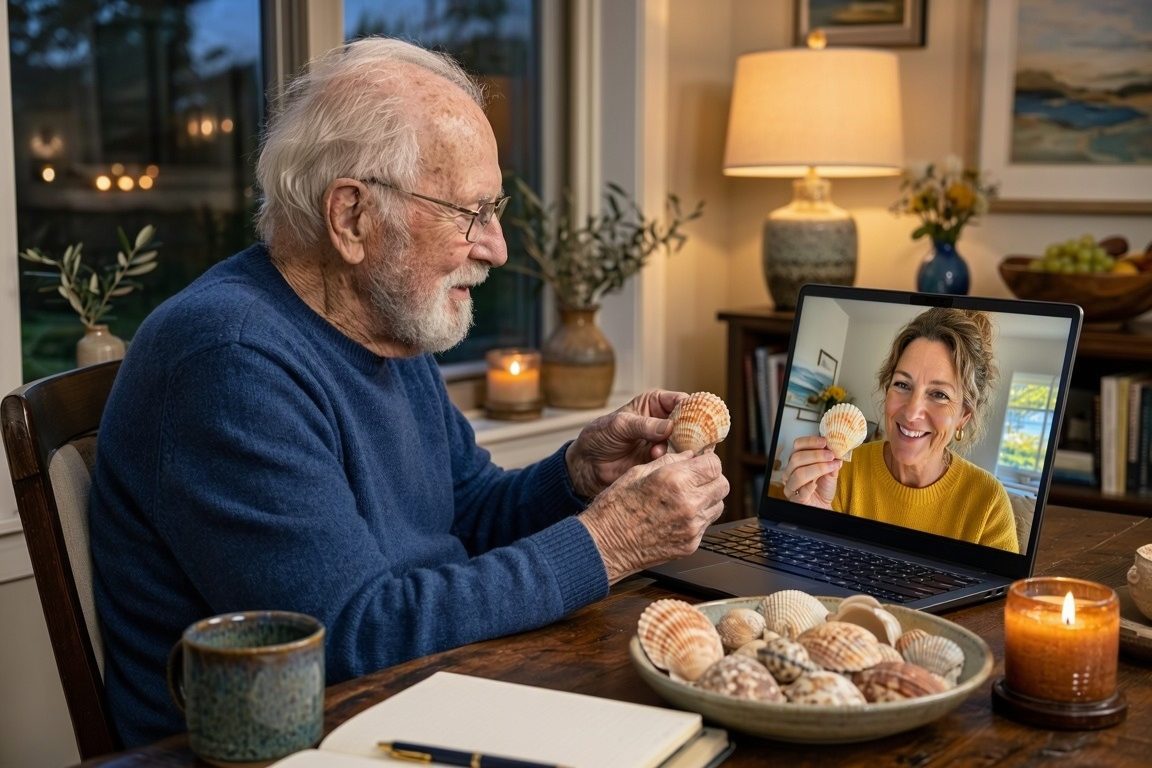
As an adult child, you may have more flexibility to call at different times and try different activities. Use this to your advantage. As a spouse, you may have a deeper shared history to draw from. Use specific memories: 'Remember our trip to the beach? Let's look at that shell.' Both roles are valuable. Adapt your approach to your unique relationship.
For the doctor
4
- If your loved one becomes extremely agitated or aggressive during or after a video call, discuss this with their doctor. It may be a sign of unmet needs, pain, or a change in their condition.
- If you are considering using any new technology or app for virtual visits, check with the facility's policies and your loved one's care team first. Some facilities have specific guidelines for device use.
- If your loved one has a history of seizures or photosensitivity, be cautious with fast-moving images or flashing lights on screen. Discuss safe screen time with their neurologist.
- If you notice a significant decline in their ability to engage or recognize you over several weeks, bring this up with their healthcare provider. It could be a sign of a new medical issue, such as an infection or medication side effect.