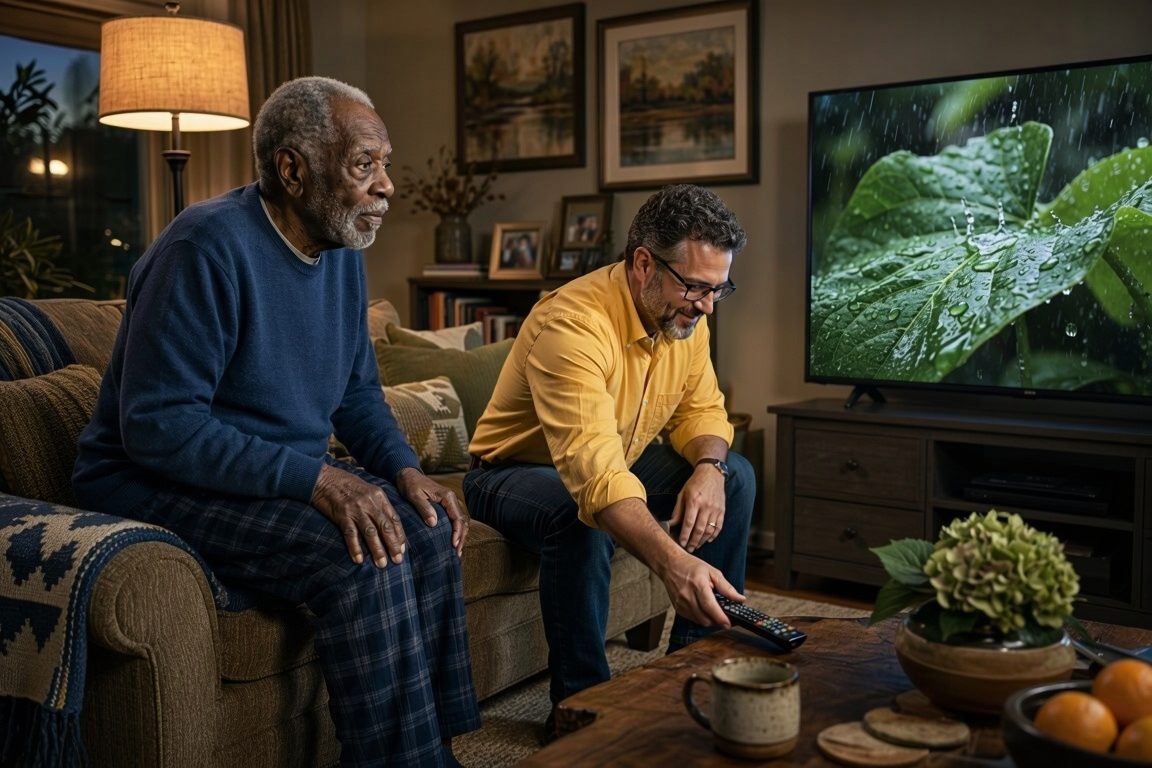
Step by step
What not to do
- Don't reach for regular TV or news channels as a distraction; fast cuts, loud commercials, and complex plots increase confusion and agitation.
- Don't force the video if they push it away or walk off, turn it off, try again later, or switch to a different channel.
- Don't expect it to work every time; dementia is unpredictable, and a walk, snack, hand massage, or sitting in silence may serve them better on some days.
- Don't skip checking for physical needs first, pain, hunger, thirst, a full bladder, or being too hot or cold can all look like agitation.
- Don't let Zinnia TV replace your presence or run on a loop all day; use it intentionally for specific moments and turn it off when you step away.
Key points
- Zinnia TV is a research-backed app designed specifically for dementia, with slow, plot-free videos that reduce agitation and support daily routines.
- Use it proactively before known triggers like sundowning or bathing, not just reactively during a crisis.
- Sit with your loved one while the video plays, the calming effect is stronger when shared.
- Choose the right channel for the moment: nature for agitation, daily living for routines, music for mood.
- Combine Zinnia TV with a calm environment: dim lights, no other screens, soft voice.
- Track what works and share patterns with the care team; this is a tool, not a cure.
Videos
 The Surprising Way to Reduce Dementia AgitationThis video explains the research behind Zinnia TV and how it was tested in hospitals and care homes, giving you confidence that it’s evidence-based.
 Uniting for Better Dementia Care = Seni + Dementia LiveShows how Zinnia TV can be used alongside other supportive products (like incontinence products) to create a holistic approach to care.
 Listen to what Teepa Snow has to say about Memory Lane TVTeepa Snow, a renowned dementia care expert, endorses similar video-based interventions, this reinforces why specialized content works better than regular TV.
 An Interactive and Media Collection for people living with dementia & their care partnersA walkthrough of how to use a dementia-friendly media platform, including tips for setting it up and choosing content.
2 more videos
 How Does Light Therapy Help Dementia Sundowning? - Dementia Help HubExplains the circadian rhythm disruption behind sundowning, understanding this helps you see why Zinnia TV’s calming visuals can be part of a broader strategy.
 Should Dementia Caregivers Use Melatonin For Sundowning? - Dementia Help HubDiscusses other sundowning interventions; helps you compare Zinnia TV to medication options and decide what’s right for your loved one.
Background
Why Agitation Happens and How Zinnia TV Helps
Zinnia TV is available as an app on connected TVs, tablets, and mobile devices, making it easy to use wherever you are. The content is organized into channels, so you can pick a theme that matches the moment: calming nature scenes for agitation, a 'daily living' channel for routine tasks, or engaging footage for a mood boost. Because the videos don’t require active participation, they can be used in the background or as a focused activity. The key is that Zinnia TV is not passive in the way regular TV is, it’s designed to be supportive, not distracting. When you use it intentionally, it becomes a tool for connection rather than a babysitter. And because it’s research-backed, you can feel confident that you’re using something that has been shown to help, not just another screen that might make things worse.
Practical tools
4
Calming Phrases for Starting, During, and After Viewing
To start: 'I have something peaceful to show you. Let's sit down together.' If they resist: 'It's just a short video: I'll stay right here with you.' During: 'Look at that bird. So pretty.' After: 'That felt nice, didn't it? Now let's do our next thing.' Never ask 'Do you remember that?' or 'Isn't this nice?', these feel like tests.
Quick Setup Checklist
Channel & Task Quick Reference
General agitation or sundowning → Nature channel (waves, forests, birds). Bathing → Daily Living (a person calmly in a tub). Toileting → Daily Living (handwashing, bathroom routine). Meals → Daily Living (someone eating at a table). Medication → Daily Living (a person taking pills with water). Evening wind-down → Slow nature scenes at low volume 20–30 minutes before bed.
Agitation & Response Log
Keep a small notebook or phone note with: date, time, agitation level (1-5), channel used, response (calmed, no change, worsened), duration of calm afterward, and notes on any physical needs ruled out beforehand.
Different situations
Early-stage dementia (still verbal and aware)
In early stages, your loved one may be more aware of their diagnosis and might feel infantilized by 'simple' videos. Frame Zinnia TV as a relaxing tool: 'I found this beautiful nature channel, let’s watch it together to unwind.' Let them choose the channel if they can. Use the daily living videos sparingly, as they may feel too direct. Focus on nature and music channels for calming.
Middle-stage dementia (more confusion, agitation common)
This is where Zinnia TV shines. Use it proactively before known triggers (like bathing or sundowning). The daily living videos are especially helpful here. Keep the routine consistent: same time, same device, same channel. Your loved one may not remember the video, but the calming effect will carry over. If they become fixated on the screen, gently redirect after 10–15 minutes.
Late-stage dementia (limited verbal ability, bedridden or wheelchair-bound)
Use Zinnia TV on a tablet held at eye level or mounted on a bedside arm. Choose slow, gentle nature scenes with soft music. Keep sessions short (5–10 minutes) to avoid overstimulation. Watch for signs of enjoyment: a slight smile, relaxed breathing, or open eyes. If they seem distressed, turn it off immediately. This can be a comforting presence even if they don’t actively watch.
Lewy body dementia (visual hallucinations, fluctuating attention)
Be cautious with nature videos that include moving shadows or reflections, which might be misinterpreted as hallucinations. Stick to simple, static scenes like a calm lake or a flower garden. Avoid videos with people if your loved one has had trouble recognizing faces. Start with very short sessions (2–3 minutes) and observe their reaction. If they seem frightened, stop and try a different channel or skip Zinnia TV that day.
Spouse caregiver vs. adult child caregiver
As a spouse, you may feel guilty using a screen instead of engaging directly. Remember that Zinnia TV is a tool to reduce agitation, not a replacement for you. Use it to create calm so you can have quality time together afterward. As an adult child, you might be more comfortable with technology, set it up on their TV and show the other parent or a home health aide how to use it. If you’re long-distance, you can schedule video calls where you both watch the same Zinnia channel together.
For the doctor
4
- If agitation persists despite using Zinnia TV and other non-drug strategies, ask the doctor: 'Could there be an underlying medical cause like a urinary tract infection or pain that is making the agitation worse?'
- If your loved one is already on medications for agitation or sleep, ask: 'Is it safe to try a non-drug intervention like Zinnia TV alongside these medications? Could we reduce the medication dose if the TV helps?'
- For Lewy body dementia or Parkinson’s dementia, ask: 'Are there any visual sensitivities I should be aware of before using video content? Could certain images trigger hallucinations or worsen symptoms?'
- If you are considering using Zinnia TV to help with daily routines like bathing or toileting, ask: 'Are there any physical or medical reasons my loved one resists these activities that we should address first?'